A Thought Experiment
Put your phone in airplane mode and open the app you use most.
Some apps go straight to a blank screen — they can't do anything without a server. Some show you yesterday's cached data but won't let you do anything new. Some let you keep working normally, queuing everything and syncing once the connection comes back.
Most people call that third behavior "offline-capable." The label assumes you'll be back online soon — that going offline is just a temporary inconvenience the system tolerates gracefully.
xGrid doesn't fit any of these. Offline is xGrid's default state. It doesn't wait for the network to come back, because in the places it gets deployed, the network may never come back.
This isn't a degraded mode. It's the normal one.
The Whole System Fits in One Device
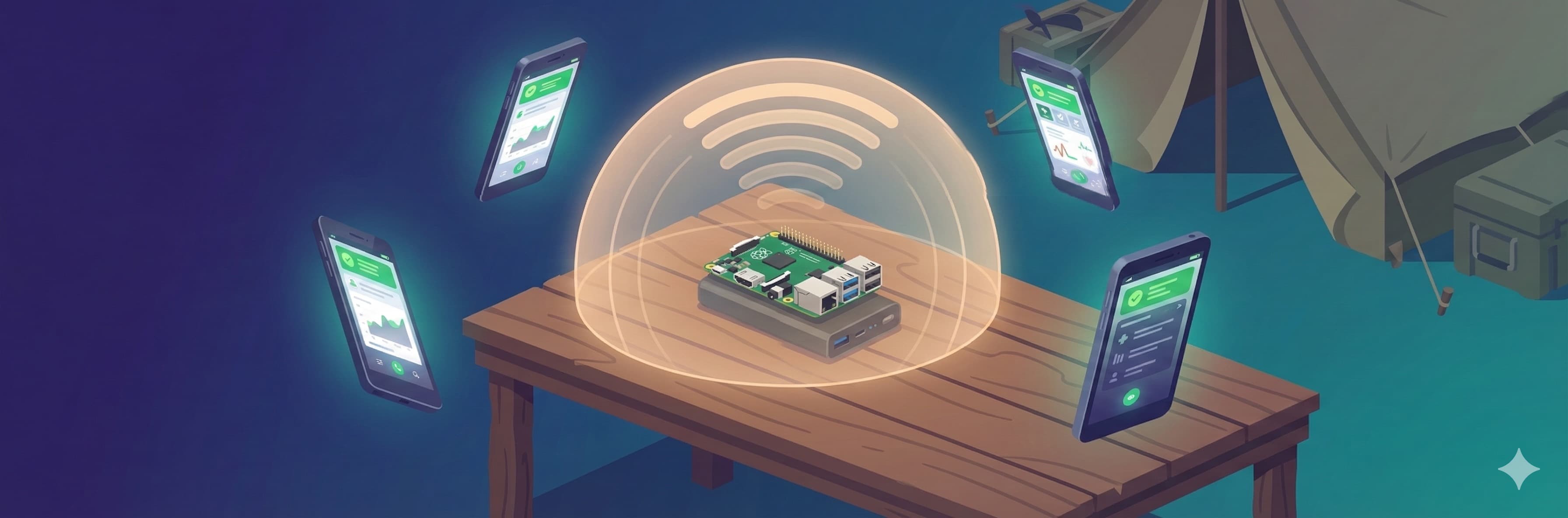
At the core of xGrid is a dedicated edge-computing device roughly the size of your palm, running off a portable battery pack.
That one device runs three systems at once:
- xGrid Community Grid — patient registration, triage, clinical handoff, and prescribing
- xGrid Medical Grid — inventory management, blood bank, surgical tracking, and pharmacy dispensing
- xGrid READY — facility supply inventories and resilience tracking
The three systems are independent, each with its own database. All services start automatically when the device boots, and any service that fails restarts on its own within seconds.
Then the device opens its own Wi-Fi hotspot.
Nurses, physicians, and pharmacists pull out their phones, join that Wi-Fi, open a browser, and start working. No router. No cell tower. No cloud service of any kind.
The device itself is the infrastructure.
What Happens When the Phone Loses Wi-Fi
A nurse walks fifty meters to the triage tent and her phone drops off the Wi-Fi. She triages a patient anyway. Does that data disappear?
No. The system on her phone queues the action locally and syncs it automatically once she's back in range.
And that queue isn't a simple first-in, first-out line. Actions are split into three priority tiers:
| Priority | Type | Notes |
|---|---|---|
| Highest: Clinical | Triage, orders, vital signs, emergency medications | Retained 7 days, never auto-deleted |
| Medium: Operational | Inventory changes, medication dispensing, blood bank actions | Retained 3 days |
| Lowest: System logs | Screen views, click tracking | Deleted once synced |
When the connection returns, clinical actions sync first. If bandwidth is limited, system logs can be dropped without affecting any patient data.
Audit-critical actions — break-glass overrides, blood transfusion records, controlled-substance dispensing — are never auto-deleted no matter what. They stay queued until sync is confirmed.
Four Independent Sync Triggers
Once a phone is back in range, how does the system know it's time to sync? Not through any single mechanism — through four independent triggers:
- Returning to the screen — the instant a nurse switches back from another app, sync fires
- Detecting a network — the instant the phone joins Wi-Fi, sync fires
- A periodic check — the system checks every 30 seconds and sends anything still pending
- Closing the page — one last attempt, so data isn't lost just because a browser tab gets closed
With four independent triggers, at least one almost always fires. In practice, sync delay is typically measured in seconds — worst case, minutes.
The Offline Countdown
Every nursing station has a banner across the top of the screen, color-coded to show how long it's been offline:
This isn't meant to scare anyone. It simply gives the person enough time to decide — walk back into Wi-Fi range and sync, or keep working offline. The longer a device stays offline, the further its data drifts from the central database. The countdown just makes that drift visible.
Why Not the Cloud?
Not because it can't be done. Because it shouldn't be something you depend on.
Disaster medicine gets deployed into places where:
- Cell towers may be down, with no mobile network at all
- Power is unreliable, so the device runs off a battery pack
- There's no IT staff — the operators are nurses and physicians
- There's no time to set anything up; it has to work straight out of the box
Under those conditions, any system that depends on the cloud has one fatal flaw: you're most likely to lose the connection exactly when you need it most.
xGrid's answer is to carry "the cloud" with you. One device, one battery pack, and a few phones — that's a complete medical information system. Boot to ready: 30 seconds.
What "Offline-First" Actually Means
It doesn't mean "we also have an offline mode."
It means the system can still do everything that matters, with zero outside dependencies.
Every design decision starts from that premise: an embedded database instead of one that needs a separate server, a browser-based app instead of one that needs an app store, event queueing instead of real-time sync, a Wi-Fi hotspot instead of a VPN that needs a network administrator to set up.
Each of those choices answers the same question: if all you have is one device and a few phones, does this still work?
If the answer is no, we redesign until it's yes.
Related: When the Wall Is Breached — Designing Medical Systems with Safety-II