What is iRehab
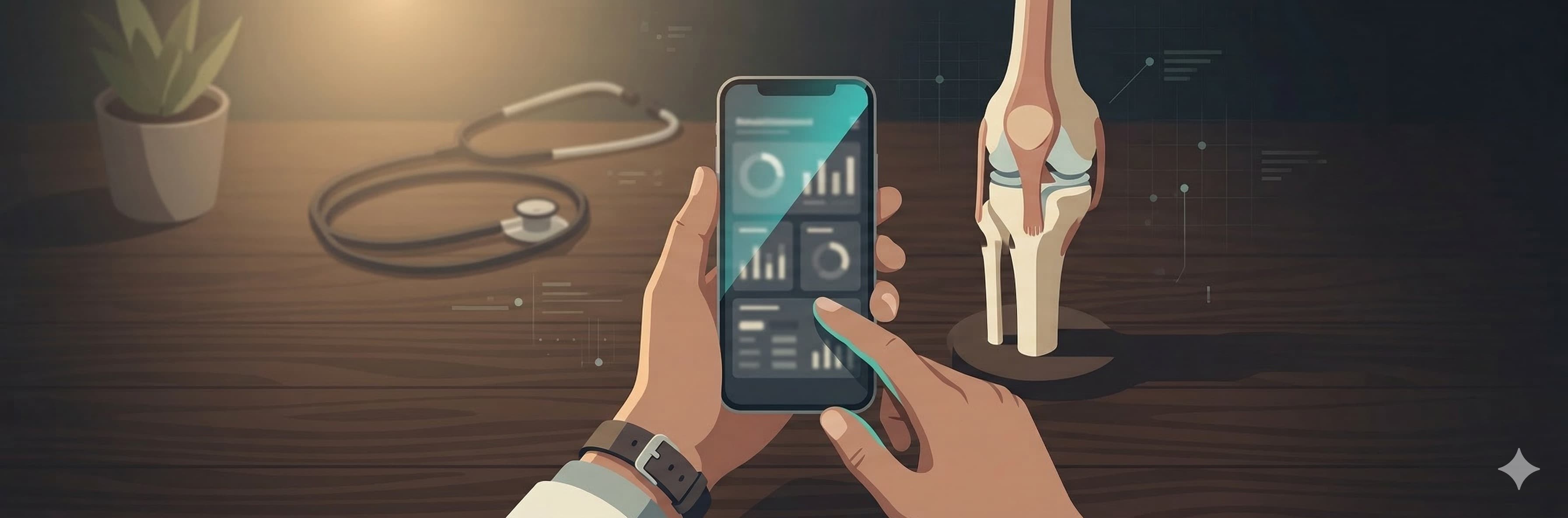
iRehab is a free post-surgical rehabilitation tracking system. Doctors prescribe exercises, patients execute and report from home, and PTs adjust protocols based on real data.
The system has three components:
- Doctor PWA — For doctors and PTs. Patient list, prescriptions, trend tracking, PROM collection (19 validated instruments), surgical records, billing.
- Patient PWA — For patients. Exercise check-in, pain reporting, wound photos, questionnaires, e-consent.
- MVC Dashboard — Patient account creation and advanced management.
Your data belongs to you. Export anytime, no questions asked, in standard JSON format.
Step 1: Get an Invite Code
iRehab is currently invite-only. Contact the De Novo Orthopedics team to receive your personal invite code.
The code is bound to your email, valid for 7 days, and single-use.
Step 2: Register Your Doctor Account
- Open the registration page: doctor.denovortho.com/#/register
- Fill in your details:
| Field | Description |
|---|---|
| Name | Your full name |
| ID Number | Used as your login credential |
| Password | Choose a secure password |
| Phone | Contact number |
| Must match the email linked to your invite code | |
| Department | e.g., "Orthopedics", "Rehabilitation" |
| Invite Code | Obtained from the De Novo team |
- Click "Submit." You will see a confirmation message on success.
Step 3: Log In to Doctor PWA
After registration, open the doctor interface:
doctor.denovortho.com
Enter your ID number and password. You will see an empty patient list — this is expected.
After your first login, visit the "Profile" tab to set your hospital name and profile photo.
Add to Home Screen (Use Like a Native App)
iRehab is a PWA (Progressive Web App). No App Store download needed. Once added to your home screen, it launches instantly and works offline.
iPhone / iPad (Safari):
- Open doctor.denovortho.com in Safari (not Chrome — iOS requires Safari for PWA install)
- Tap the Share button (square with upward arrow) at the bottom toolbar
- Scroll down and tap Add to Home Screen
- Tap Add
Android (Chrome):
- Open doctor.denovortho.com in Chrome
- Tap the three-dot menu (top right)
- Tap Add to Home Screen or Install App
- Tap Add
The iRehab icon will appear on your home screen. Tap it to launch directly — no browser needed.
Step 4: Share Your Patient Registration Link
Each doctor has a unique patient registration link. Send it to your patients and they fill in their own details.
Your patient registration link:
patient.denovortho.com/?doctor=YOUR_DOCTOR_ID
You can find your Doctor ID in the "Profile" tab of the Doctor PWA after logging in.
Recommended setup:
- Clinic reception: In the Doctor PWA "Profile" tab, tap the "QR" button to generate and download a QR code image. Print and laminate it for your front desk. Patients scan and register themselves.
- LINE Official Account: If you have a LINE Official Account, add this link to your rich menu. First-time users will see the registration page; returning users will see the login page.
- LINE browser note: LINE's built-in browser will automatically redirect to Safari (iPhone) or Chrome (Android). This is expected. After the redirect, guide patients to tap "Share → Add to Home Screen" so they can open the app directly from their home screen instead of going back to LINE each time.
Patients fill in:
| Field | Description |
|---|---|
| Name | Patient's full name |
| ID Number | Becomes login credential |
| Phone | Becomes default password |
| Email (optional) | Patients with email receive weekly rehab reports |
| Date of Birth | Basic demographics |
| Surgery Date | System auto-creates rehab plan when filled |
| Diagnosis | e.g., "Bilateral knee OA" |
| Procedure | e.g., "Total Knee Arthroplasty" |
On registration, the system automatically:
- Creates the patient account (password = phone number)
- Creates a CareEpisode (rehab journey)
- Generates the first exercise prescription (matched to procedure protocol)
- Creates a Google Drive folder for wound photos
- The patient appears in your Doctor PWA patient list immediately
Step 5: Patient Logs In to Patient PWA
Tell your patient:
- Open patient.denovortho.com on their phone
- Username: their ID number
- Password: their phone number (recommend changing after first login)
After login, patients see daily tasks:
- Exercise — Follow the prescription, check off each exercise
- Report — Daily pain level (VAS 0-10) and wound photo
- Questionnaire — PROM surveys sent automatically at key timepoints
Help Patients Add to Home Screen
We recommend doing this during the clinic visit or at discharge. Most patients (especially older adults) do not know what a PWA is.
You can say to the patient:
"Let me add the rehab app to your phone. Just tap this icon every day and follow the exercises."
iPhone: Safari → Share button → Add to Home Screen → Add
Android: Chrome → Three-dot menu → Add to Home Screen → Add
Once installed, the app caches locally and works even with unstable internet. Exercise logs sync automatically when connection returns.
Step 6: Track and Adjust
Back in Doctor PWA, you will see:
- Patient List — Triage-sorted (alerts first, recent surgeries first)
- Patient Detail — Six tabs:
- Overview — VAS trends, adherence charts
- Prescription — Current exercises, inline editing
- Assessment — PT evaluation (ROM, SOAP notes, phase advancement)
- Progress — Wound photos, PROM scores (19 instruments including KOOS JR., HOOS JR., PROMIS, Oxford, DASH, and more), milestones
- Surgical Record — Operative details, implant info, approach, complications, DSCC (Discharge Summary for Continuity of Care) generation
- Billing — Fee tracking per episode, supports bundled payment governance and episode-level cost accountability
Modifying Prescriptions
When adjusting a patient's exercise prescription:
- Open "Prescription" tab, click "Edit"
- Add, remove, or modify exercises (sets/reps/hold time)
- Select a reason for modification (recorded for clinical quality improvement):
- Pain too high, ROM insufficient, patient request, wound concern, swelling, ready to progress, other
- Click "Save Prescription"
Exporting Your Data
In the "Profile" tab, click "Export My Data" to download a complete JSON file of all your patient data. Your data belongs to you.
Step 7: AI-Assisted SOAP Notes (Optional)
Update 2026-04-18: The Doctor PWA bottom navigation has been reorganized into 5 tabs (Home / Pre-Consult / Patients / ✨ AI / Profile). All AI-related settings — including the API Token described below and the BYOK Gemini translation key used in-clinic — now live in the new ✨ AI tab. The BYOK translation key lets you one-tap translate a foreign-language patient's chief complaint. Full setup and usage is in Pre-Consult — Doctor's Operations Manual §6.
Most doctors do not need CLI tools or API tokens to use AI. In the assessment form, tap "AI Assist SOAP" — the system generates a prompt with today's measurements (no patient name) and copies it to your clipboard. Open ChatGPT or Gemini on your phone, dictate the patient's condition, and paste the response back. The system auto-parses it into S/O/A/P fields.
For advanced users who prefer CLI tools (Claude Code, Gemini CLI), see the AI Setup Guide.
FAQ
What if a patient forgets their password?
Default password is their phone number. If forgotten, contact the De Novo team for a reset.
Can my PT use the system?
Yes. Contact the De Novo team and we will create a PT account (SubRole: PT) linked to you. PTs can view your patients and edit prescriptions (saved as drafts until you approve).
Where is data stored?
Google Cloud Firestore (ISO 27001 certified). Wound photos are stored on Google Drive. All data is exportable.
Is it free?
Yes. The Patient PWA and basic Doctor Panel are permanently free.
Can I stop using it anytime?
Yes. Export your data and stop. No contracts, no lock-in, no cancellation fees.
Need Help?
Contact the De Novo Orthopedics team for:
- Invite codes
- PT account setup
- Technical support
- Clinical workflow consulting